How it works
An Engage background worker picks up new comments and DMs and asks the model for a sentiment on only the customer's text: no account names, no internal notes. Results are written back to the conversation and a MongoDB TTL collection (5 days) de-duplicates repeat scoring, kept out of the BullMQ Redis on purpose because that instance runs noeviction.
Access is decided by a plan flag, not by hard-coded tier names, so pricing changes do not break it. A soft limit with alerts at 7,500 and 10,000 scored items per month and a global kill switch keep spend bounded.
What I built
Background scoring
Queue-driven scoring in the Engage worker with de-duplication, retries and a terminal-vs-retryable failure split so a provider blip never drops a conversation.
Sentiment badges and manual override
A badge on every comment card and DM thread, a filter for Positive / Neutral / Negative / Unclassified, and a manual override that applies for the whole team.
Sentiment in Label Analytics
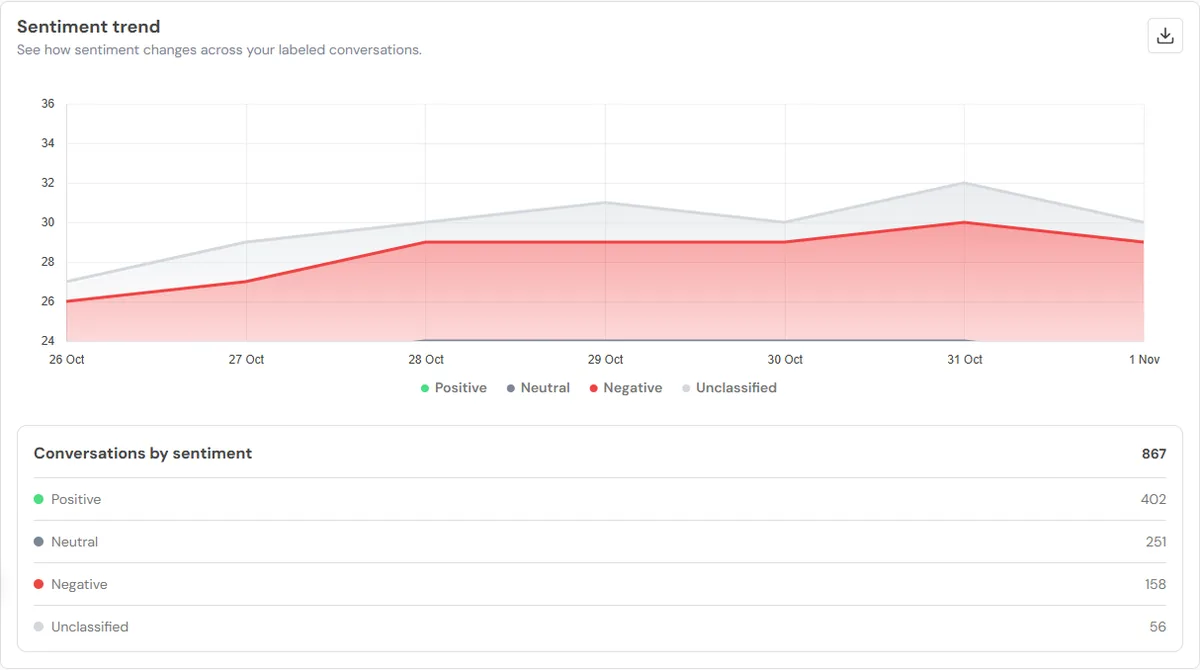
A day-by-day sentiment trend, a breakdown donut and a sentiment-by-label bar, with CSV and PDF export.
Plan gate, alerts, kill switch
Locked states in the inbox, filter and export for plans without the feature, upgrade modal, usage alerts and an instant off switch.
Copy pass across the feature
Consistent naming and stored machine-key errors across inbox, analytics and export, per the product copy guide.
Taught the AI assistant the truth
Switch used to say sentiment could not be edited and that no chart existed. Added the facts to its system prompt with a regression spec.
What changed
Negative first
Support teams filter to Negative and answer the conversations that matter.
Mood over time
Managers see sentiment shift per label, per day.
Bounded cost
Plan gate, soft limit, alerts and a kill switch.
Privacy by default
Only the customer's words go to the model.
Want the rest of the work?
Switch, analytics, sentiment, Brand Dashboard, MCP and n8n.